Automated Remote Proctoring Guide
Preparing your Device: Tech Requirements
Last updated: June 9, 2025
Getting Started
You need a Google Chrome or Microsoft Edge browser and the corresponding Secure Exam Proctor extension from Proctorio. Use the minimum system requirements table on the Proctorio site or follow the steps below to confirm your testing device meets the requirements.
STEP 1: Download the Google Chrome or Microsoft Edge Browser
Download the Google Chrome browser
Download the Microsoft Edge browser
STEP 2: Install the Secure Exam Proctor Extension
For Google Chrome
Download the Secure Exam Proctor Chrome extension made for Google Chrome.
Detailed instructions can be found here.
For Microsoft Edge
Download the Secure Exam Proctor Edge Extension made for Microsoft Edge.
Detailed instructions can be found here.
STEP 3: Confirm Your Device Meets the Technical Requirements
FOR MAC DEVICES (Continue scrolling for Windows Devices)
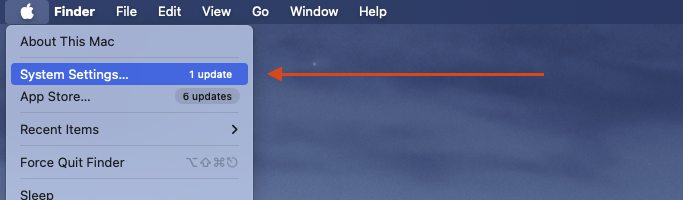
Access System Settings by clicking the Apple menu on the top left corner of your screen, then selecting “System Settings”.
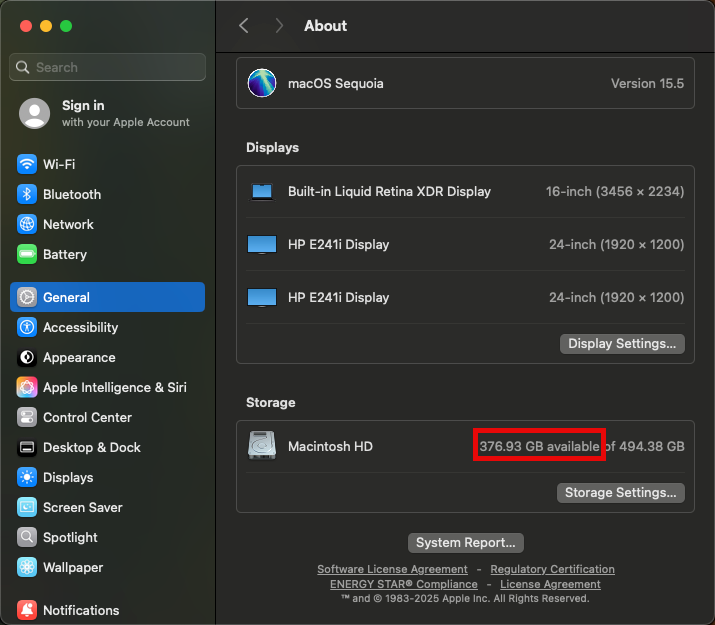
Make sure you are in the “General” section, then select “About”.
Confirm your chip is Intel or better, memory is 2GB or more, and the macOS version is 10.11 or greater.

Scroll down and confirm your available storage is 250 MB or more
Confirm you have a functioning microphone and camera by navigating to the following sites:
FOR WINDOWS DEVICES
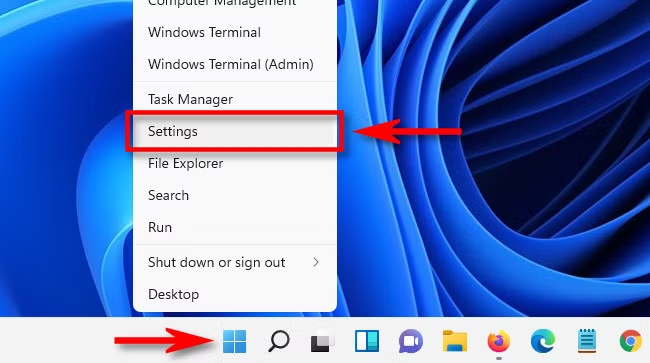
Navigate to “Settings”.
You can access “Settings” in a few ways:
- Click the Start button and then the gear icon (Settings).
- Right-click the Start button and select Settings.
- Use the keyboard shortcut Windows key + I.
- Use the Windows Search and type “Settings”.
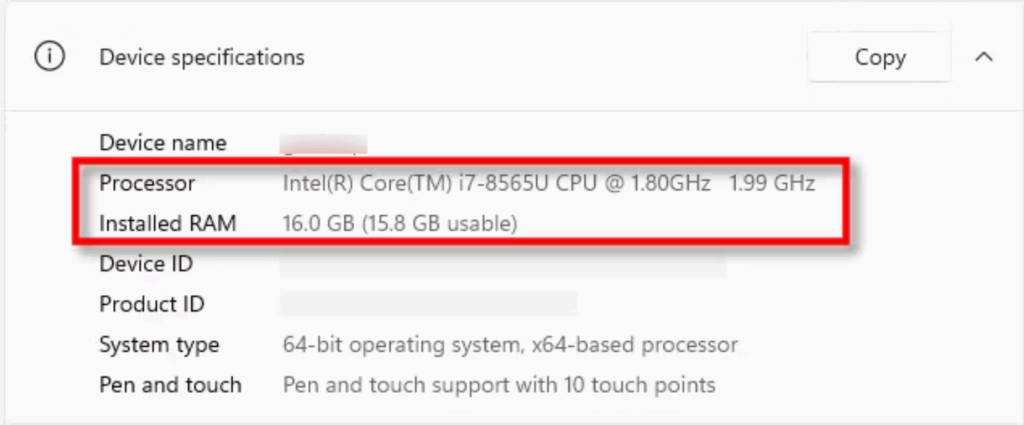
Once the settings dialog opens, Navigate to “System”, then “About”.
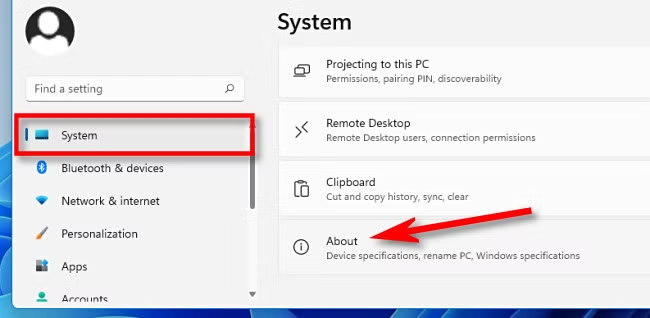
Confirm your Chip is Intel Pentium or better, OS is Windows 10 or higher, and Memory is 2 GB or more.
Confirm you have a functioning microphone and camera by navigating to the following sites:
You’re all set! Check out this link for a full list of tech requirements and helpful tips.
Next: Start Your Exam or Confirm a Purchase